5 min read
Overview
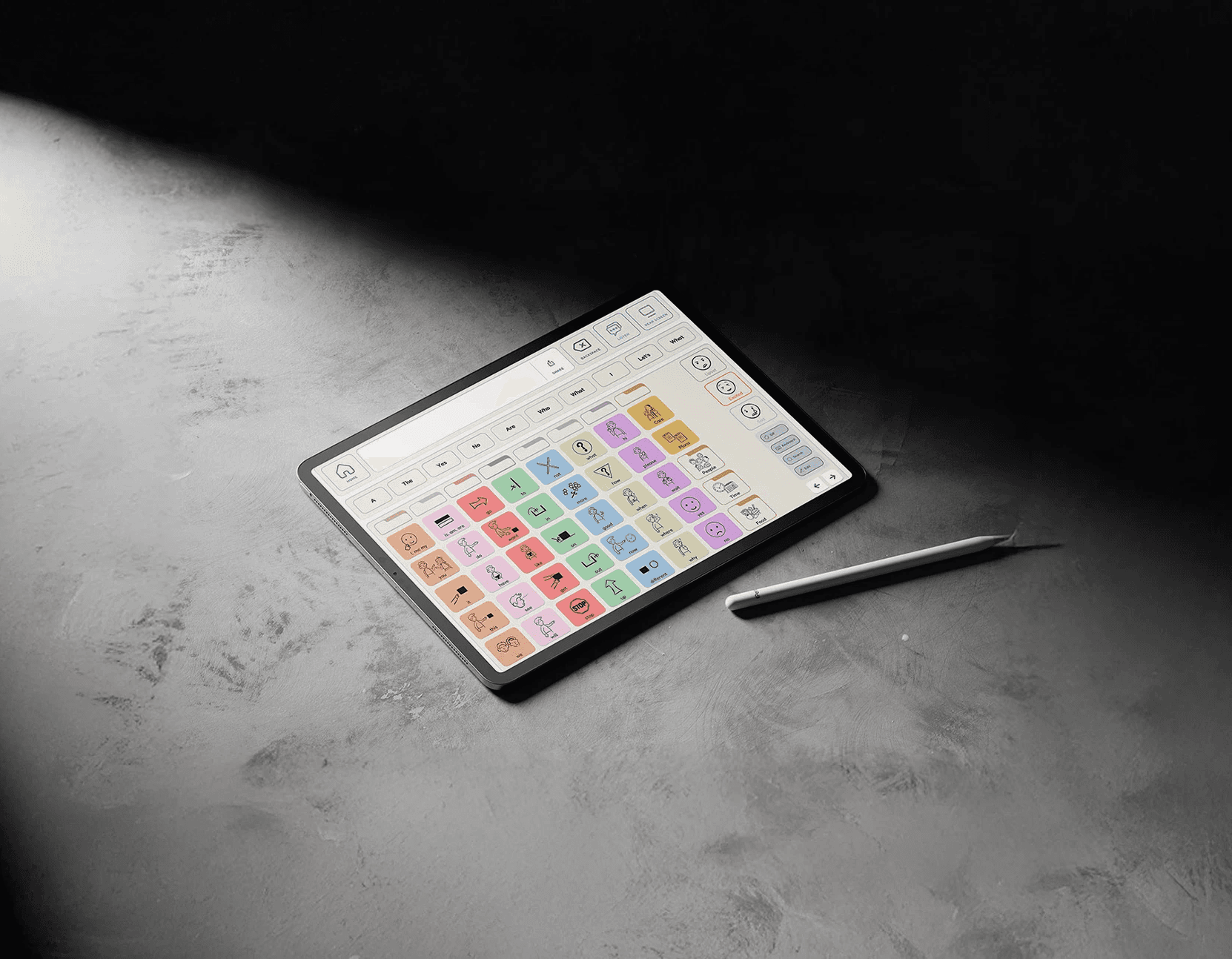
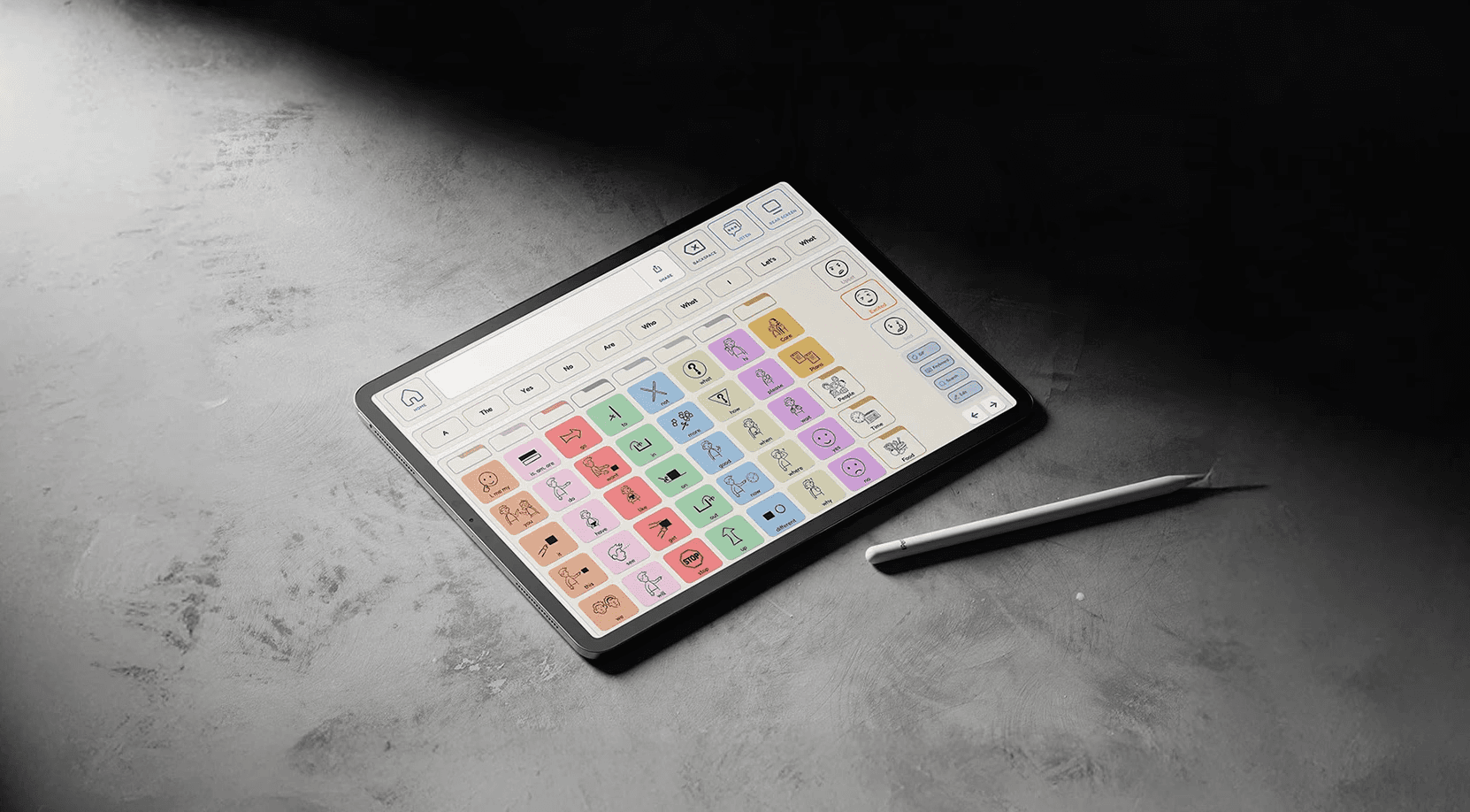
VoxAI is a communication tool for young adults with nonverbal autism.
Inspired by Proloquo, VoxAI combines an AI-driven app and a tactile device to make nonverbal communication faster, more expressive, and easier to use.
Role
UX Researcher
UI Designer
Timeline
April 2024 – May 2024
(6 weeks)
My Responsibilities
UX/UI Design
Visual System
UX Research
Design Thinking
Team
Lois Kim
Thanh Quach
Joseph Sotelo
Birgess Weston
My Impact
As a product designer on a four-person team, I led UX research and contributed to both the digital and physical experience of VoxAI.
I defined key user needs through research on AAC tools and accessibility guidelines, turning those insights into clear design priorities. My work spanned from mapping user flows and refining high-fidelity app prototypes to shaping the overall product experience—including the handheld form, rear screen integration, and rotating handle.
By bridging software and hardware design, I helped ensure the final solution felt cohesive, approachable, and grounded in real user needs.
Problem
Current AAC tools overwhelm users with visual clutter and slow navigation. Through interview findings and research, I identified four major pain points:
PAIN POINTS
Slow Navigation
It takes users a long time to find the word or phrase they need. Navigating through multiple layers of menus feels like clicking through a maze of folders.
Emotional Gap
Current interfaces lack ways to convey tone or feeling, making messages feel mechanical and robotic.
Rigid Vocabulary
Users have to pre-program uncommon words. When something unexpected comes up, they don't have the vocabulary ready. This delays conversations.
Difficulty to Physically Access
AAC devices are bulky, uncomfortable, or visibly have a medical look which makes them impractical and discouraging to use in daily life.
Solution
VoxAI brings together a handheld case and an app with AI-powered features to give young adults with nonverbal autism a familiar, yet faster way to communicate.
KEY FEATURES: DIGITAL INTERFACE
AI-Powered Word Prediction
Smart Phrase Assist
Adjustable Voice Tone
KEY FEATURES: PHYSICAL COMPONENT
Rotating Handle
Rear Screen
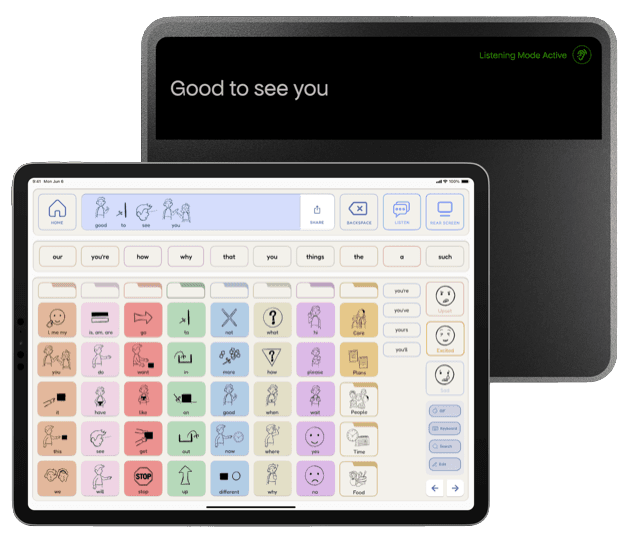
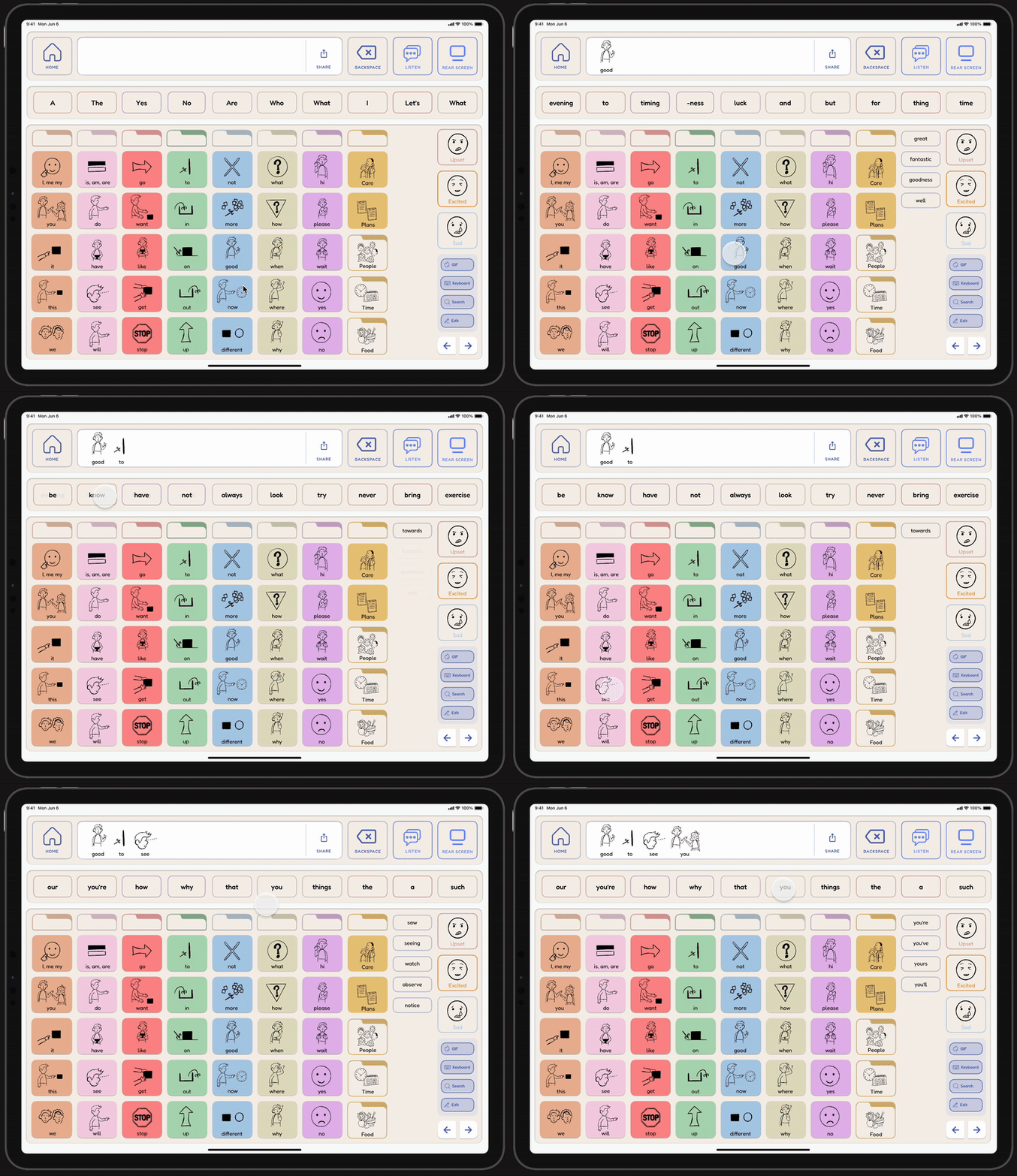
Adaptive suggestions anticipate what the user wants to say based on context, past usage, and location to speed up communication and reduce cognitive effort.
Faster Message Creation
Reduced Typing Effort
Adaptive to User Context
Smart Phrase Assist
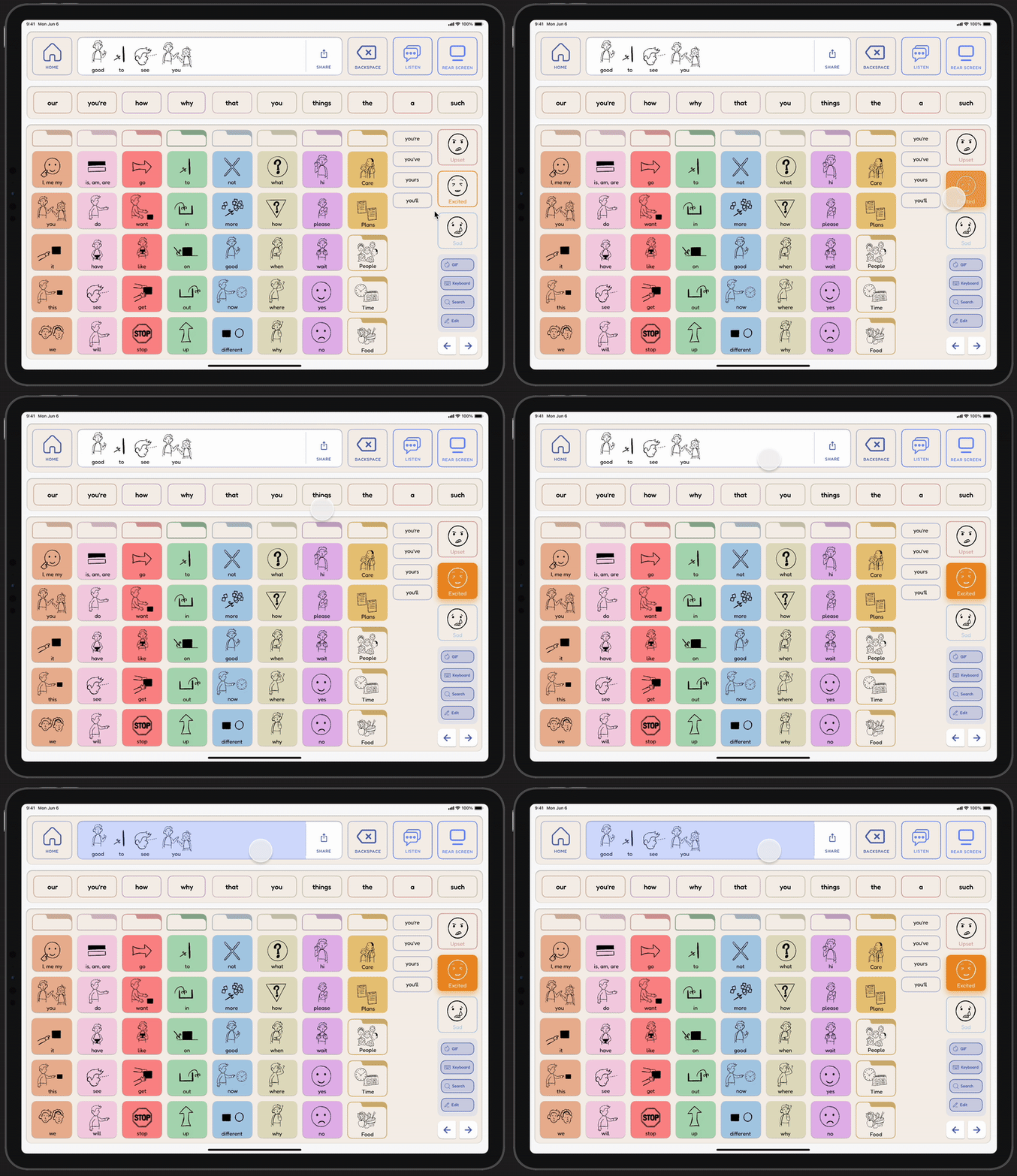
Analyzes live conversation audio to suggest relevant phrases and help users respond naturally with minimal effort.
Contextual Response Generation
Real-Time Interaction

Adjustable Voice Tone
Lets users modify vocal output to express tone and emotion to make digital speech feel more personal and nuanced.
Expressive, Human-like Output
Bridges Emotional Gaps in AAC
Rotating Handle
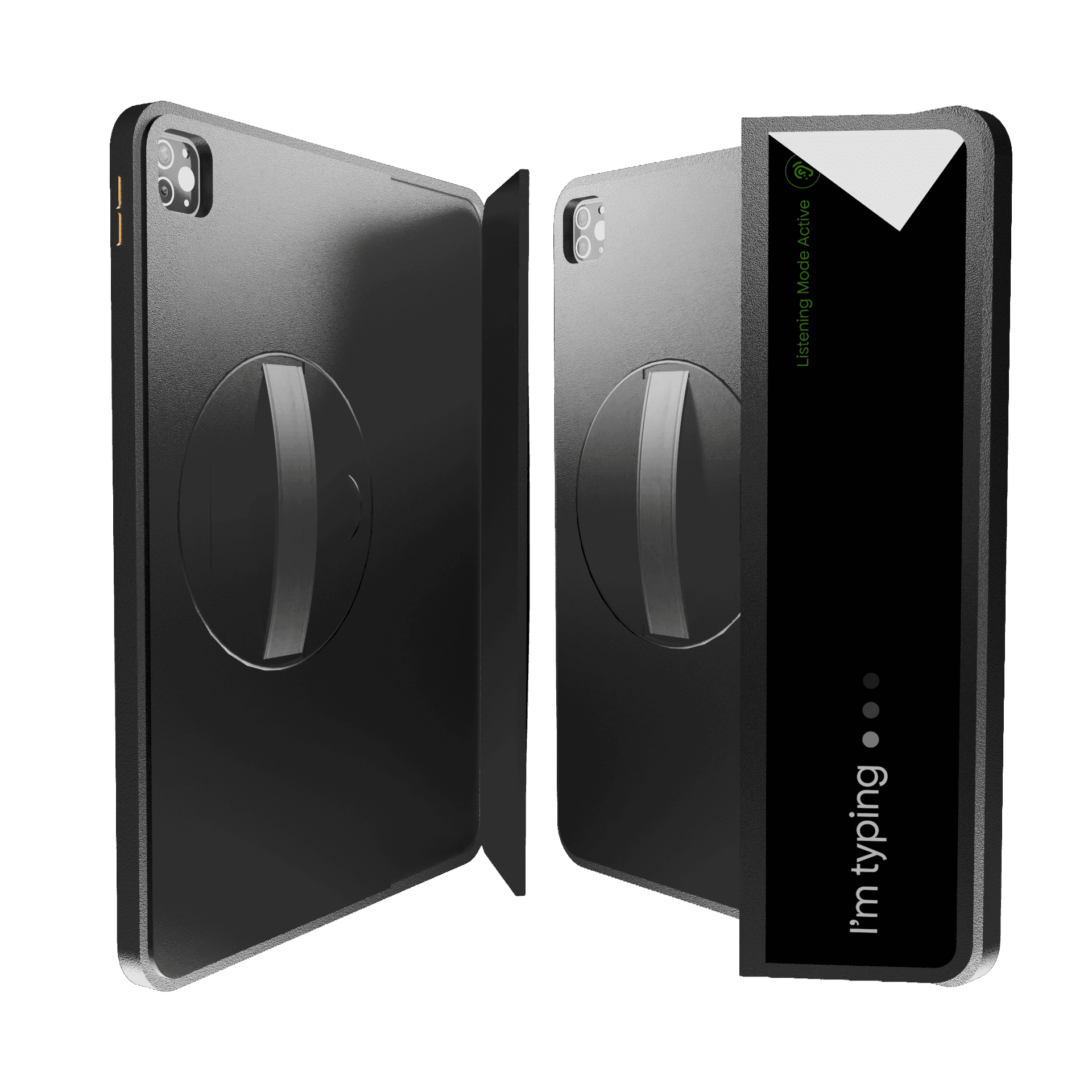
Offers an adaptable grip that supports multiple orientations for comfortable use in any setting.
Adaptive Orientation
Reduces Sensory Strain
Rear Screen Integration
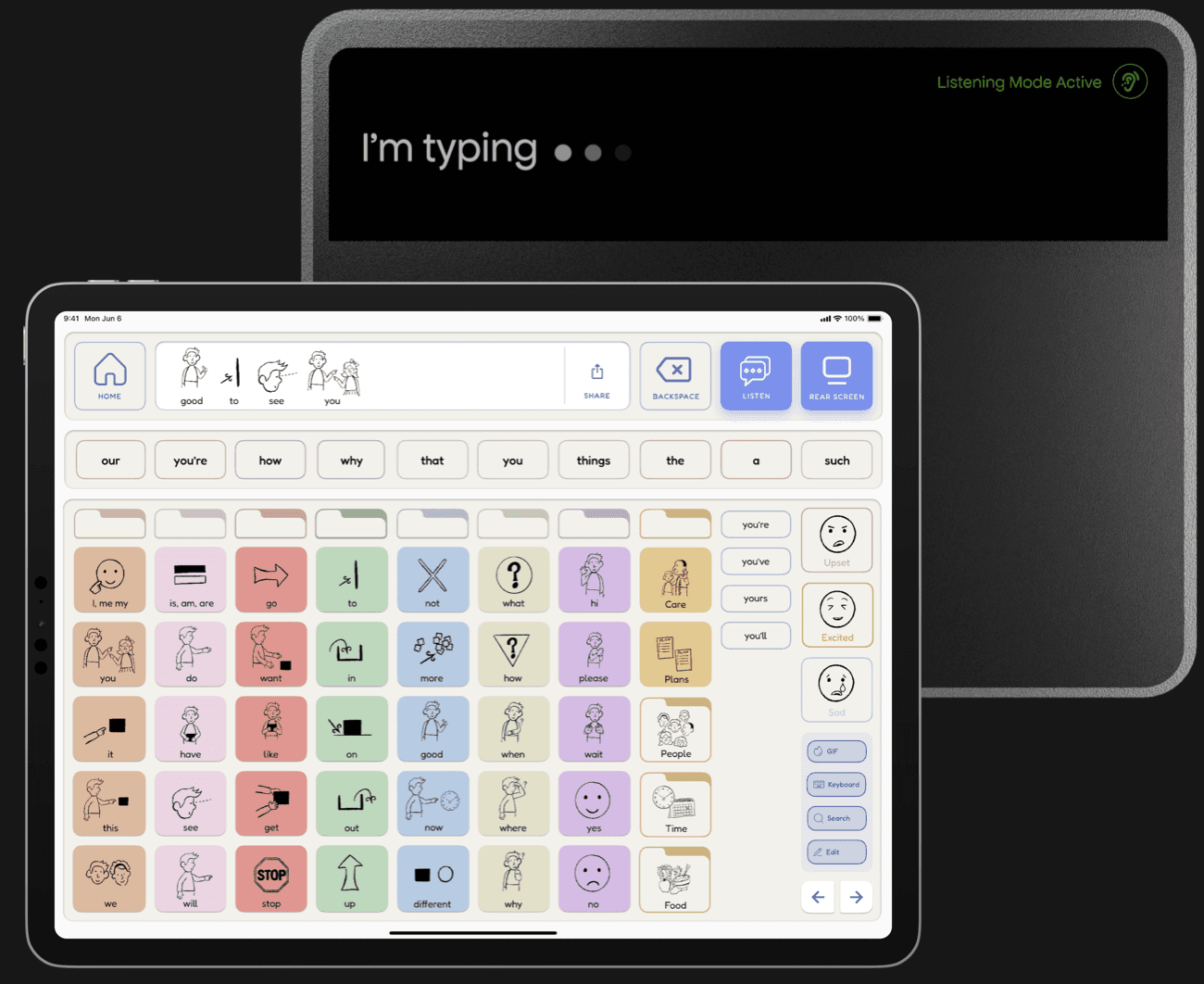
Displays real-time visual feedback for smoother conversational flow.
Live Sentence Display
Enhanced Partner Engagement
Design Approach
For young adults with nonverbal autism, communication tools often feel complex or inaccessible. Our goal was to create something that felt intuitive, comfortable, and expressive—an experience that supports fast communication without adding visual or physical strain.
Based on research and testing, our design focused on simplicity, handheld comfort, and clear visual feedback.
Implementing AI Features
We replaced static symbol grids with adaptive predictive suggestions that learn from usage patterns, reducing taps and helping users form messages faster.
Designing for Handheld Comfort
We prioritized a sleek, lightweight case optimized for handheld comfort. The device’s minimal aesthetic avoids a clinical “medical” look, making it approachable for everyday use.
Enhancing Inclusivity with a Rear Screen
We added a rear-facing screen that displays spoken sentences in real time. This visual feedback helps conversational partners follow along, reducing interruptions and improving conversational flow.
Improving Portability and Flexibility
To solve portability and holding challenges without overstimulation, we designed a rotating handle that supports multiple orientations and contexts. It works seamlessly with the rear-screen placement, offering flexible, comfortable handling without straps or textures that could be distracting.
Optimizing for Accessibility
We refined spacing, contrast, and touch-target sizes for accessibility and adjusted the symbol set for clarity. We used line-style illustrations—a familiar convention from Proloquo—to reduce visual clutter and speed up recognition.
Outcome
The AI-powered prediction system helps users communicate more efficiently by reducing the time and effort needed to construct sentences.
REFLECTION
What I Learned
Ground Research in Real User Needs
Balance Innovation With Trust
AI features like live phrase suggestions opened exciting possibilities, but also raised questions of trust and control. I learned how critical it is to give users transparency and autonomy when the system is monitoring conversations.
Collaboration Shapes Better Outcomes
Feedback from peers, users, and heuristic evaluations helped reframe our priorities. Without those external perspectives, we might have leaned too heavily on customization rather than strengthening feedback, tone control, and usability.